Grocery Expense Tracker — See where every grocery dollar goes
A strong grocery expense tracker gives you clear visibility into your grocery costs before they drift out of control. With GroceryTracker Pro, you scan each receipt, store every line item automatically, and see exactly how your spending changes week to week. Instead of trying to remember totals or maintain a spreadsheet, you get one reliable dashboard for your full household. If your goal is understanding your true grocery costs across stores and categories, this page shows how to turn raw receipt data into practical decisions that help you spend less without sacrificing food quality.
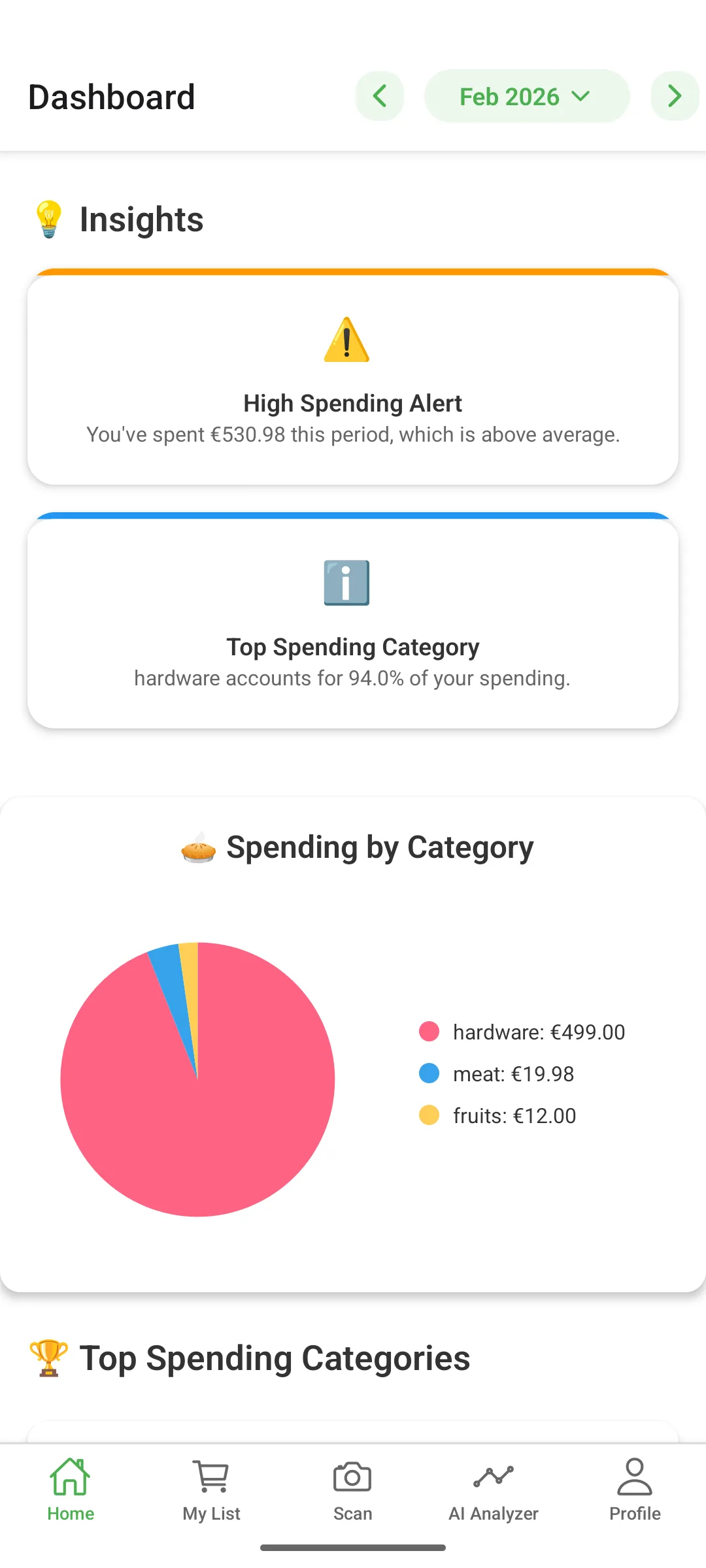
How to use a grocery expense tracker effectively
Start by scanning your receipts right after each shopping trip. The AI reads product names, prices, totals, store names, and purchase dates in seconds. That means your grocery expense tracker is updated automatically with no manual typing and no delayed bookkeeping. Because every receipt is stored consistently, you can compare similar purchases across stores, detect sudden price increases, and find recurring spending leaks. Over time, the data quality becomes your advantage: better records create better budget choices.
Once your data is captured, use monthly and weekly views to understand patterns. You can spot which shopping days are most expensive, which stores produce the highest basket totals, and which categories grow faster than expected. This is where a grocery expense tracker becomes more than a tracker; it becomes a planning tool. By reviewing trends before your next shop, you can adjust list priorities, reduce impulse purchases, and keep your grocery plan aligned with your financial goals.
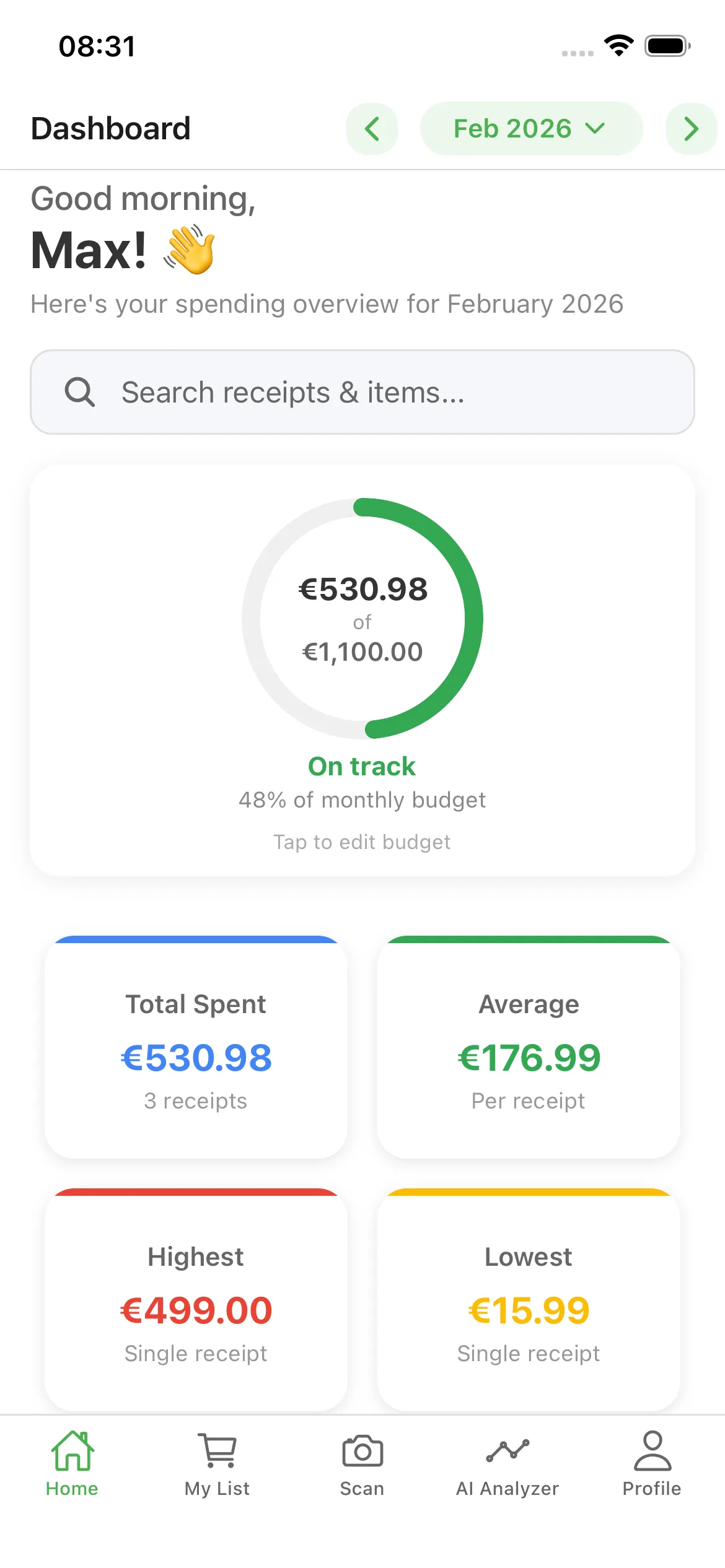
Why a grocery expense tracker improves monthly decisions
The app is built for real life across Walmart, Costco, Kroger, Aldi, and Lidl. You can scan paper receipts, import images, or add data from saved PDFs. If a receipt is long or folded, use the crop tool before processing to improve extraction quality. You can also share the same household with family members so everyone contributes to one source of truth. That shared visibility helps prevent duplicated buys and makes weekly spending conversations faster and less stressful.
Key Features
- AI Receipt Capture — Scan or import receipts and extract line items in seconds.
- Store-Level Visibility — Compare spending by store to identify expensive shopping habits.
- Category Trends — Track where your budget grows fastest across food categories.
- Household Sharing — Keep one shared budget and avoid duplicated spending.
- Monthly Comparisons — Review progress month over month with clear totals and charts.
- PDF Reports — Export spending summaries for planning and review.
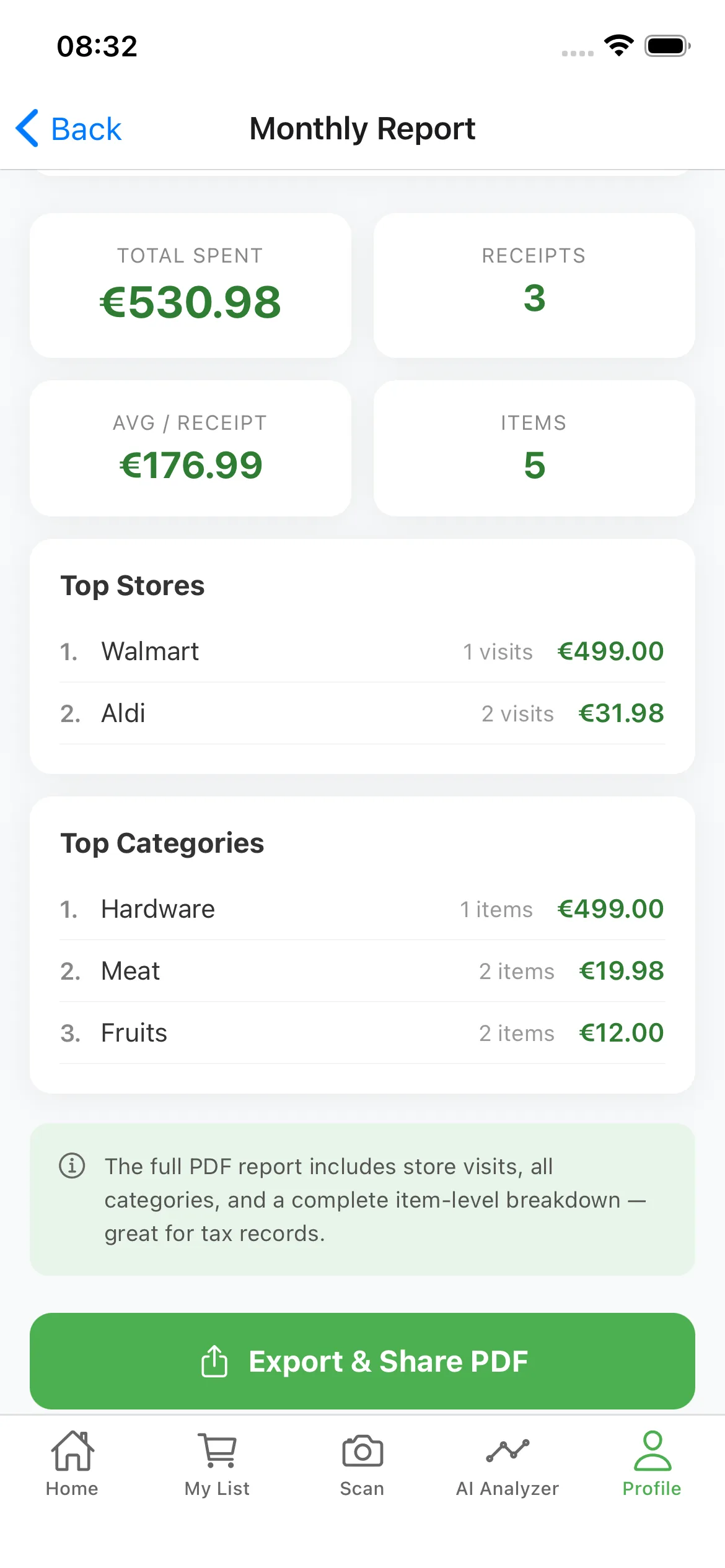
A practical weekly routine for better savings
To get better savings from your grocery expense tracker, run a simple weekly routine: scan every receipt, review your top categories, and compare store totals before your next big shop. Then ask the AI assistant where you overspent and which items changed most in price. Small adjustments each week compound over time. Most users do not need a dramatic lifestyle change; they need consistent visibility and a repeatable process. That is exactly what GroceryTracker Pro provides.
Frequently Asked Questions
What does a grocery expense tracker help me do?
A grocery expense tracker helps you capture every grocery purchase, monitor category trends, and understand where your money goes each month.
How accurate is receipt scanning?
The AI reads most grocery receipts with high accuracy. You can review and edit entries before saving if needed.
Can I share tracking with family?
Yes. Household sharing lets multiple people contribute to one spending timeline and budget view.
Do I need spreadsheets?
No. The app handles receipt capture, totals, trends, and exports in one workflow.
Is there a free version?
Yes. The app is free to download and includes essential tracking capabilities, with optional premium upgrades.
Start using your grocery expense tracker today
Free to download on iOS and Android.
