Receipt Scanner App — AI that reads every grocery receipt in seconds
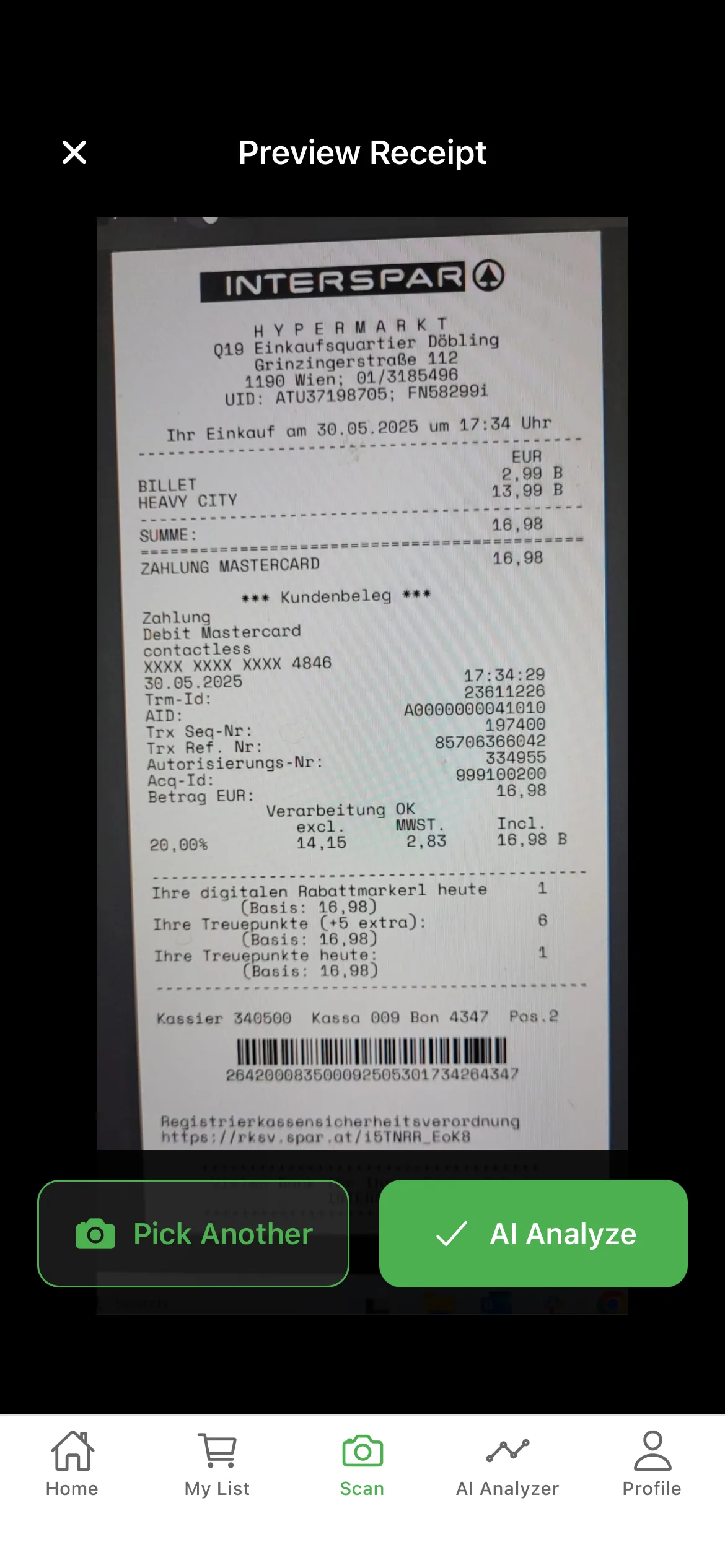
Manual receipt entry dies in the second week. Every household that has tried to keep a grocery spreadsheet knows the feeling: the first three receipts get typed in carefully, and then the file sits unopened forever. GroceryTracker Pro is a receipt scanner app that removes the typing entirely. Point your phone camera at a paper receipt, and AI reads every product name, price, total, tax, and store in under 10 seconds. No data entry. No abandonment.
How the AI receipt scanner works
When you snap a photo of a grocery receipt, the image is processed by an optical character recognition (OCR) model trained specifically on retail receipts. Unlike generic OCR, this model is tuned to handle the quirks of real-world receipts: faded thermal ink, crumpled paper, oblique camera angles, abbreviated product names ("WHL MLK 2% 1G"), unusual receipt layouts, and the variety of formats from major chains worldwide.
The model extracts seven data points per line: product name, quantity, unit price, line total, tax flag, plus the receipt-level fields of subtotal, tax, total, store name, and purchase date. Accuracy on standard supermarket receipts averages 95%+ without any user correction. For the small percentage that need touch-up, every captured field is editable with one tap.
What makes a good receipt scanner different
A surprising number of receipt scanner apps are actually generic document scanners with no understanding of receipts. They produce a clean PDF — and then you still have to read it yourself. A real receipt scanner app extracts structured data: every line is parsed into searchable, sortable, exportable fields. That's the difference between a digital filing cabinet and a usable spending tracker.
GroceryTracker Pro's scanner also handles the messy-but-common cases: long receipts that don't fit in one frame (use crop and stitch), receipts photographed under poor lighting (auto-enhanced before processing), and digital PDFs from email (skip the camera entirely and import directly). The goal is one consistent capture workflow regardless of how the receipt arrived.
Receipt scanner features built for daily use
- AI-powered OCR — Tuned specifically for grocery receipts — not a generic document scanner.
- Works on faded and crumpled receipts — Image enhancement runs automatically before extraction.
- PDF and image import — Skip the camera for digital receipts — import emailed PDFs or saved screenshots directly.
- Crop tool for long receipts — Stitch multi-photo captures for receipts that don't fit a single frame.
- Multi-language — Extracts receipts in English, German, Spanish, and French — useful for cross-border shopping.
- Edit any field with one tap — If the AI mis-reads a digit or a product name, fix it before saving — no full re-entry.
Supported stores and receipt formats
The scanner has been tested on receipts from the major chains: Walmart, Costco, Kroger, Whole Foods, Trader Joe's, Aldi, Lidl, Rewe, Edeka, Tesco, Carrefour, Mercadona, and dozens of smaller regional grocers. It also handles non-supermarket food retailers: butchers, bakeries, farm shops, and specialty stores — anywhere that prints an itemized paper receipt.
There's no per-store configuration required. The model adapts to whatever layout it sees, so a receipt from a corner deli is processed with the same accuracy as one from a national chain. New formats are added automatically as users in different regions upload them.
Frequently Asked Questions
How accurate is the AI receipt scanner?
Standard supermarket receipts are extracted with 95%+ field accuracy without any user correction. Faded, crumpled, or unusually formatted receipts may need 1–2 manual edits, which take a few seconds.
Which grocery stores does the scanner support?
All major chains and most regional grocers worldwide — Walmart, Costco, Kroger, Aldi, Lidl, Trader Joe's, Whole Foods, Rewe, Edeka, Tesco, Carrefour, and many more. The model adapts to new layouts automatically.
Can I scan receipts from multiple countries?
Yes. The scanner extracts receipts in English, German, Spanish, and French. Multi-currency support means you can track spending across borders without manual conversion.
What if my receipt is too long for one photo?
Use the crop and stitch tool to capture the receipt in multiple frames. The app combines them into a single record before processing.
Do I have to use the camera, or can I import digital receipts?
Both work. Email a PDF to yourself and import it directly, or screenshot a digital receipt and add it from your photo library. The same OCR runs on imported files.
Start tracking your grocery spending
Free on iOS & Android — no signup required to start scanning.
