Why tracking grocery spending matters
Groceries are one of the largest variable expenses in any household. Unlike rent or insurance, your grocery bill changes every week based on what you buy, where you shop, and how often you visit the store. That variability makes it the easiest budget category to overspend — and the easiest to optimize once you have visibility.
According to the USDA, the average American household spends between $800 and $1,400 per month on food at home, depending on the cost plan. Most families do not track this at all. They estimate, round up, or simply check their bank balance at the end of the month. The problem with that approach: you only see the damage after it has happened. A spending tracker lets you see it in real time.
Three methods for tracking grocery expenses
Not all tracking methods work equally well. Here is how the most common approaches compare:
1. Spreadsheets (manual entry)
The classic approach. You enter each purchase into a spreadsheet — store name, date, total, and optionally individual items. This gives you full control over your data but takes 5–10 minutes per receipt and requires discipline. Most people start strong but abandon it within two weeks.
Best for: People who enjoy detailed data work and have time each day for manual input.
2. Bank app categories
Some banking apps auto-categorize transactions. You can see "Groceries: $450 this month" without entering anything. However, it treats every card purchase at a grocery store as groceries — including household items, cleaning supplies, or pharmacy purchases. And cash payments are invisible.
Best for: A rough monthly overview when precision does not matter.
3. Receipt scanning with a spending tracker app
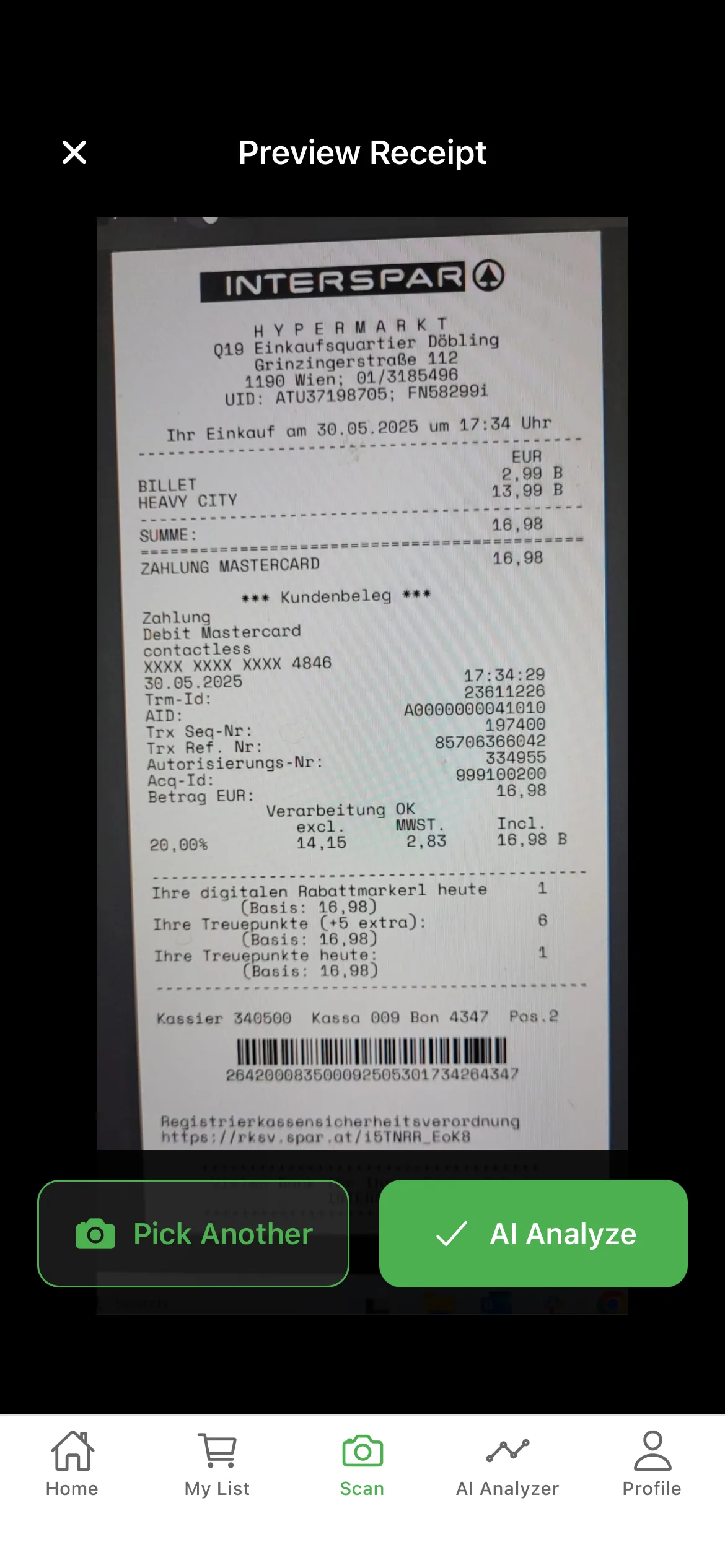
This is the most accurate approach. You scan each grocery receipt with your phone camera. The app reads every line item, price, and total automatically. You get store-level breakdowns, category trends, and monthly comparisons — all without typing a single number.
Best for: Anyone who wants accurate data without the manual effort. This is how GroceryTracker Pro works.
How to set up your grocery spending tracker
If you have decided that receipt scanning is the right approach (it is for most people), here is how to get started:
- Download a spending tracker app. Look for one that supports AI receipt scanning, store-level tracking, and monthly budget goals. GroceryTracker Pro does all three.
- Set a monthly grocery budget. If you do not know where to start, use your average from the last 3 months. Check your bank statements for grocery store purchases and divide by three. That is your baseline.
- Scan every receipt the same day. The habit matters more than perfection. If you shop three times a week, scan three receipts. It takes 10–15 seconds each.
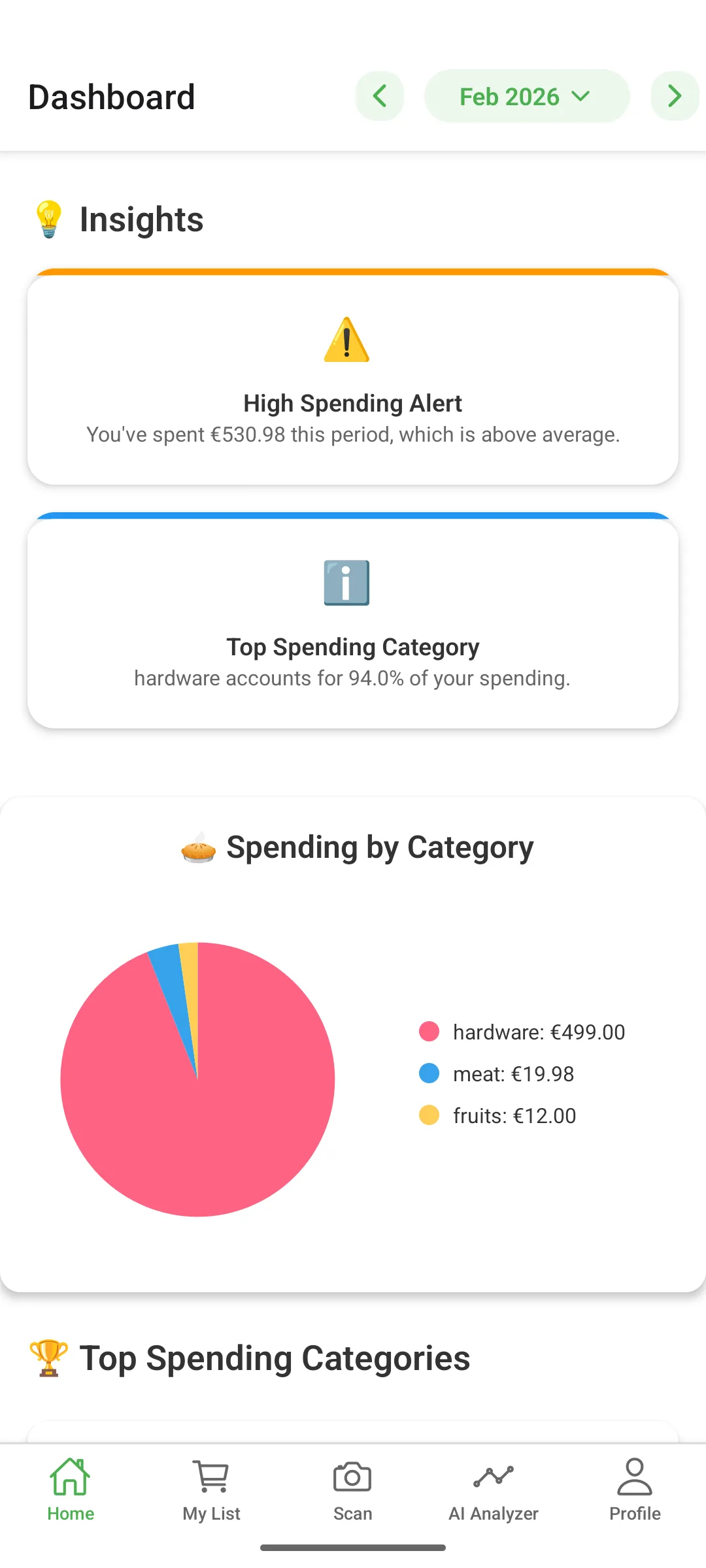
- Review weekly, not daily. Daily reviews create anxiety. Weekly reviews create insight. Every Sunday, look at your dashboard: How much have you spent? Which stores? Are you on track for the month?
- Share with your household. If multiple people buy groceries, everyone should scan their receipts. One shared budget gives you the full picture.
A weekly routine that actually saves money
Tracking alone does not save money. The value comes from the decisions you make with the data. Here is a simple weekly routine:
- Sunday evening (5 minutes): Review last week's spending. Check your top stores and biggest purchases. Ask yourself: did I overspend anywhere?
- Before shopping (2 minutes): Check your remaining monthly budget. If you are ahead, you have room. If you are behind, stick to essentials this trip.
- After shopping (15 seconds): Scan the receipt immediately. Do not wait — receipts pile up and fade.
- End of month (10 minutes): Compare this month to last month. What changed? Which store cost more? What can you adjust next month?
This routine takes less than 20 minutes per week and compounds over time. Users who follow this pattern typically identify 10–15% in savings within the first two months — not from dramatic lifestyle changes, but from consistent visibility.
Common mistakes when tracking grocery spending
Even with the right tools, there are pitfalls to avoid:
- Setting an unrealistic budget. If you currently spend $900/month, do not set a $500 goal. Cut by 10–15% per month. Drastic cuts lead to abandonment.
- Tracking only big trips. Small convenience store purchases and quick "I just need one thing" visits add up fast. Track everything.
- Ignoring store differences. You might spend 30% more at one store compared to another for the same categories. A good budget tracker makes this obvious.
- Not involving the household. If your partner shops separately and you do not see their receipts, your budget is incomplete. Use a shared tracker.
- Reviewing too infrequently. Monthly reviews are too slow. Weekly gives you time to course-correct before the month is over.
How much can you actually save?
The savings depend on your starting point, but here is what research shows:
- Simply being aware of spending tends to reduce it by 5–10% — this is the "observation effect."
- Comparing store prices and switching for key categories can save another 10–20%.
- Reducing food waste by buying what you need (informed by historical data) saves an average household $1,500 per year according to the USDA.
For a household spending $1,000/month on groceries, that means potential savings of $150–300/month or $1,800–3,600 per year — just from tracking and making data-informed decisions.
Frequently Asked Questions
What is the best way to track grocery spending?
The most effective way is to scan every receipt right after shopping using a spending tracker app. This captures exact amounts, stores, and dates automatically — no manual entry required. Over time, the data reveals patterns you can act on.
How much should I spend on groceries per month?
The USDA estimates that a moderate-cost plan for a family of four is about $1,100 per month in the US (2025 data). However, your ideal amount depends on household size, location, and dietary needs. Start by tracking your actual spending for one month to establish a baseline.
Can I track grocery spending for free?
Yes. GroceryTracker Pro is free to download and includes core receipt scanning and budget tracking features. Premium upgrades add unlimited scans, detailed analytics, and export capabilities.
